

Web Design Myth: I should appeal to everyone in order to book more clients.
When preparing to create a new website for your business, it can be easy to fall into the trap of attempting to appeal to everyone. While it’s a great idea, it just isn’t possible. Certain types of people are drawn to certain websites and designs, while other people are drawn to the total opposite.
If you try to find the “middle ground” to appeal to everyone, you end up appealing to no one! There are definitely certain overlapping elements that can appeal to multiple people, but the reality is, you’ll never have the perfect combination.
So, what’s the best way to tackle your website? Choose a niche! Think about your audience for your business/product, what they like, how they spend their time, their demographics, etc. You’ll be able to start narrowing down your audience and reaching those people more effectively.
Here are a few things to think through to appeal to your niche:
Branding – Are you offering services targeting at kids and teens? Your brand should portray a vibrant, youthful feel. Do you provide therapy to adults? You’ll want your brand to portray a trustworthy, relaxed vibe.
Your branding should directly reflect you, your audience, and your brand’s personality.
Colors – Like with your branding, your colors should also appeal to your niche audience. A bright, colorful palette would not make sense for a brand focused on therapy for grieving and loss. However, it may make sense for a young company offering virtual assistant services! Be sure your colors reflect the personality you want to give off.
Photos – Photos have the ability to quickly attract or deter your audience. If they can’t see themselves represented in your photos, they will be much quicker to try another website. If your organization is focused on diversity, your photos should reflect that! If you offer coaching for middle-aged women, your photos should show women in that demographic.
As you put together your website, be sure to provide multiple opportunities for your audience to hire you. If they’re never invited to reach out or contact you, they’ll move on and look elsewhere!
WANT to CREATE
a custom WEBSITE?


How to Find Sophisticated Therapy Stock Photos
Did you know it takes only 50 milliseconds (0.05 seconds) for users to form an opinion about your website that determines if they stay or leave? Often, the first thing a user sees in that time is the photos on your site.
Photos have the ability to elevate your website design or completely distract from it - no matter how well-designed it is.
As a therapist, you want your clients to feel seen and comforted upon arrival to your website. They want to know that your practice provides a safe place for them to come as they are – with all of their feelings and struggles. The goal of your website photography should be to aid in portraying the atmosphere you wish to provide at your practice.
Before beginning your search for therapy stock photos, take a moment to think about the atmosphere and style you wish to portray through them. Do you want to display a cozy, nurturing environment? Or a light, inviting, and minimal space? Do you want to portray the diversity of your clients or focus on your space itself?
After you’ve thought through these things, you can begin your search for the best stock photos for your therapy website.
Our favorite sources for free stock photography are pexels.com and unsplash.com.
These two websites have great libraries of photos that differentiate from the often cheesy stock photos found online. They tend to have a more artful approach – perfect for finding sophisticated therapy photos.



When searching on free stock websites, try to search outside of the obvious terms like “therapy” and “therapist”. You may find great results when searching other things like “office”, “friends”, or “minimal”.
Another great option for your website is to take a look at paid stock options. While not always necessary, it can open up a lot more options to use for banner images on your website! A few of our favorite options for paid stock photos are:
With both free and paid stock photography, make sure to read licensing agreements thoroughly, and make sure you understand before using the images!
Get intentional with your photo choices for your website and your clients will instantly feel more attracted to your practice!
WANT to CREATE
a custom WEBSITE?


Setting boundaries via email
Even if you love your clients, it's still super important to set up clear and simple client boundaries. This not only helps you, but is important for them as well. I promise it's helpful for everyone involved!
There are lots of emails that come through the virtual door that may test your boundaries. It can be hard to hold the limit you’ve set for yourself, especially if you really want to nail the sale or take on the opportunity. But remember that you set your boundaries for YOU. And most of the time, people respect you when you hold true to your boundaries. If they don’t, that’s their problem. Literally… you can’t solve that for them or fix their feelings.
Important! I’m not saying that you should be unkind. In fact, I find that limits, rules and boundaries are a kindness in themselves. They let people know what to expect and what won’t fly.
But since sticking to those boundaries can be hard, here are a few common ideas to help you respond thoroughly, quickly, and cheerfully to those boundary-pushing emails.

Email #1: I want a discount!
Here’s some truth talk: once you know your worth, you’ll stop discounting your prices. Only you can do the exact thing that you are offering in the exact way you’re offering it. So when someone asks for a discount, be kind but firm.
Start by sharing that you understand where they’re coming from. Having a set budget may be one of their boundaries!
Share that you can’t lower your prices. You can communicate that your prices are carefully calculated based on the process and your expertise.
Reiterate that you understand. If that means you can’t work together, no harm no foul.
Offer to refer them to someone else. This may seem counterintuitive, but people really appreciate this extra step. They probably spent a bit of time searching for someone like you to help them. They’ll leave you without working together, but may still recommend you to someone else (who CAN afford you!).
Email #2: I want extra stuff!
This may depend on the person and the project. For example, you may feel a humble request for something small is no big deal. But what if that’s the first of many requests? This can quickly spin out of control.
Again, be kind but firm. Share that, unfortunately, you just can’t offer or include that extra thing.
Offer your reasoning. This might be that it takes too much extra time, or that it’s simply not included. It can be very straightforward and simple.
Share how they can access that thing for value. In other words, if they would like to purchase the extra item, you’d be happy to share that for $$XYZ price.
Leave the ball in their court. Simply ask them to let you know if they’d like to move forward with your offer. They’ll likely decline, but if they do want to, you’re no longer giving your precious time/energy/work for free.
Email #3: I need this now!
I get these emails a lot. :) For some reason, a few people think that we are not humans but instead are some kind of creative machines that should be available at all hours of the day, any day of the week. This type of email is tricky because often the request is nice and the email conveys a real sense of need. It’s hard not to help someone in NEED! But truthfully, they probably don’t actually NEED the thing (at least not right NOW!)
Again, be kind but firm (are you sensing a theme yet?). First, acknowledge their request and that it is (or feels) urgent.
Let them know when you will tackle it. If they said they really need something fulfilled on Sunday when you don’t work weekends, let them know what your soonest availability is. A chipper, “I’d be happy to help! My next available time is Monday at…” works perfectly.
Again, confirm they want to move forward with the new arrangement. Simply ask them to let you know if that works for them.
Email #4: A complaint.
Ugh, this is a tough one. It really hits your pride and if you’re a people pleaser, it may trigger a need to “fix” it for them. But you don’t necessarily have to. This is a more nuanced email depending on the gripe, but here are a few guidelines.
Note that you understand their complaint and why they feel the need to raise it.
If you do need to make amends in some way, share how you plan to do so and what they can expect.
Let them know that their feedback is valuable. You can also share how you may incorporate their feedback into your future work, etc.
Wish them well and wrap it up.
Email #5: Waiting on payment.
Even years into business, this still happens to me occasionally. An invoice goes out, but it seems to get lost along the way. Following up with a client about money could be awkward and therefore avoided, but we all deserve to get paid! This email is actually simple and straightforward.
Keep it light. Just note that you’re checking in. Perhaps they never even received it? Or life got crazy and they plum forgot.
Offer to resend it. This is the “Let me help you help me” approach.
If you have any late fee protocols, remind them of this (and ideally send this email before they’re applied as a courtesy).
Thank them for working with you and wrap it up!
WANT to CREATE
a custom WEBSITE?



Squarespace Font Combinations for Coaches
Selecting fonts for your coaching website can feel like a daunting task. In a sea of thousands of font options, it can be a challenge to find the perfect font pairing that expresses who you are and attract your ideal audience.
When searching for fonts for your coaching website, you’ll want to find fonts that balance each other out and work well for readability. You want them to express who you are and attract new clients to your business.
Below are 5 selected font pairings for coaches from Google Fonts and Adobe's Type Kit. All of these fonts can be found within your Squarespace account - no need for custom code!

1) Moret & DM Sans
Moret is a sophisticated yet playful font for your website. It provides a professional and established look while still allowing for your brand’s personality to shine through. Pair this font with a simple serif font like DM Sans for the perfect duo.

2) Bebas Neue & Raleway
Looking for a bold and eye-catching font for your website? Bebas Neue is perfect for you. This font is sure to catch your reader’s attention as soon as they land on your site. Pair it with a thin serif like Raleway for your body copy and subheadings.

3) Tenor Sans & Cormorant Garamond
This font pairing is perfect for those wanting a balance of modern and sophisticated style. The pairing of the bold, uppercase headings with the soft serif font provides the perfect balance.

4) DM Serif & Brandon Grotesque
Want your brand to portray your fun personality? This font pairing is bold, and pairs perfectly with bright, colorful branding.

5) Amethyst & Soria
Bold, sophisticated, classy. These fonts are perfect for those in the health and wellness industry. They’ll make your audience feel both relaxed and recognize you as the true professional.
WANT to CREATE
a custom WEBSITE?


Essential Tips for Creating a Successful Private Practice Website Design
Build an effective website for your private practice - find out how! This guide contains valuable advice for creating a website that meets all necessary requirements, helps you grow your business and attract new clients to your private practice!
A professional private practice website is an essential part of attracting new clients and building relationships with existing ones. In today's digital world, it is important to design a website that provides an exceptional user experience and highlights the services you provide. Follow this guide to learn the key elements of creating a successful, customer-friendly private practice website.
Understand Your Goals and Focus on User Experience.
When designing a website for your private practice, you should first consider your goals. Think about the types of clients you want to attract, and focus on providing an exceptional user experience. Your website is like your online office; it should reflect what a client would feel if they stepped into your office for an IRL session. Make sure the navigation is intuitive and every page loads quickly. Consider adding customer reviews, engaging visuals, and informative content that positions you as an authority in your field. Above all else, remember to prioritize customer needs and keep the design simple yet effective!
Craft an Eye-Catching Home Page Design that Fits Your Practice’s Brand.
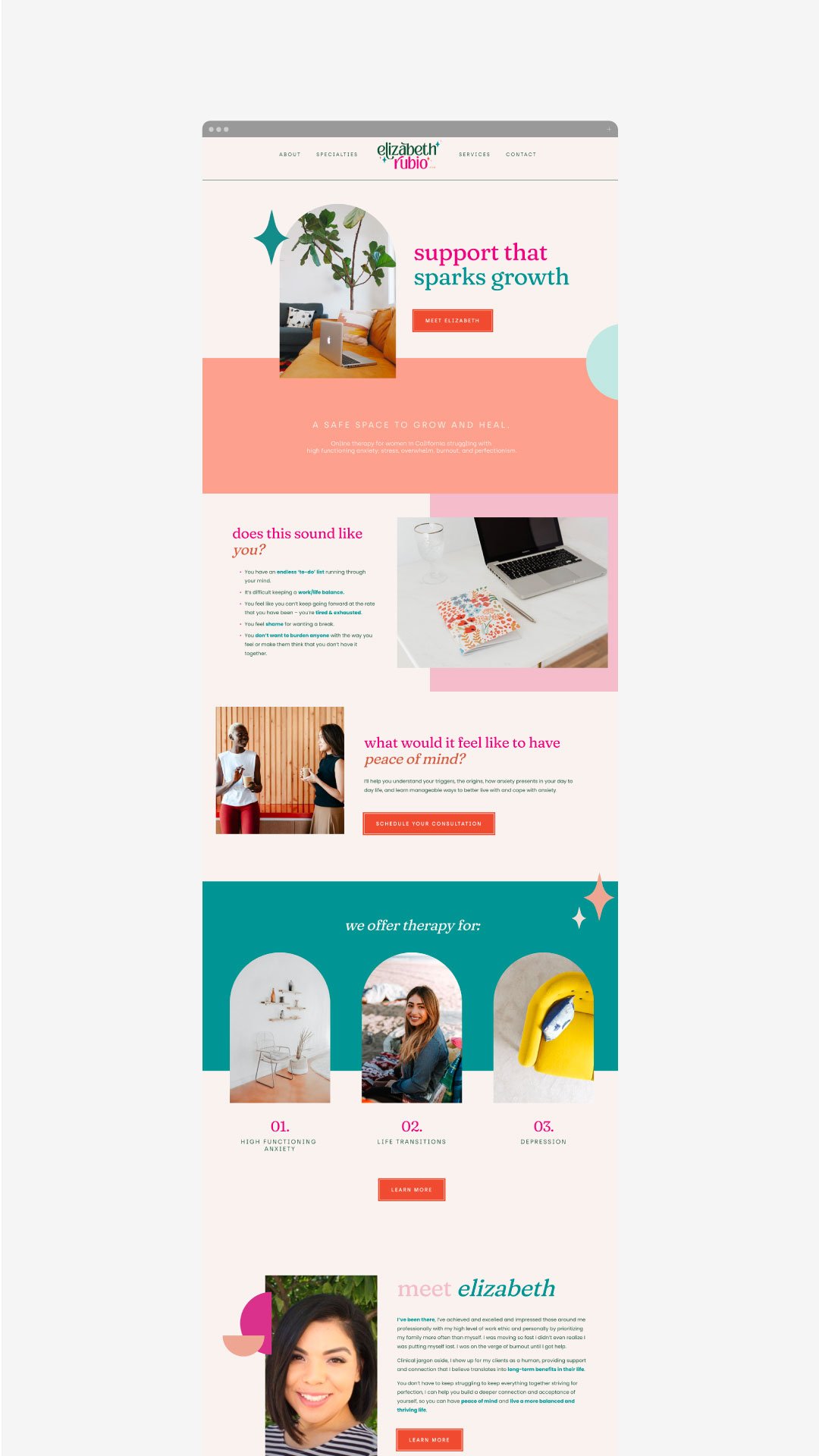
The homepage of your website should be the most compelling page as it’s the first page visitors will see. Make sure to create an eye-catching yet professional design by using visuals and concise descriptions that stay true to your practice’s branding. Keep in mind that the homepage should provide a brief overview of what you specialize in and how you can help potential clients, so make sure all elements are branded and organized for maximum impact. Additionally, add calls-to-action to help direct visitors through the website. (A call-to-action is a fancy word for a button, link or ‘next step’ for the person visiting your website).
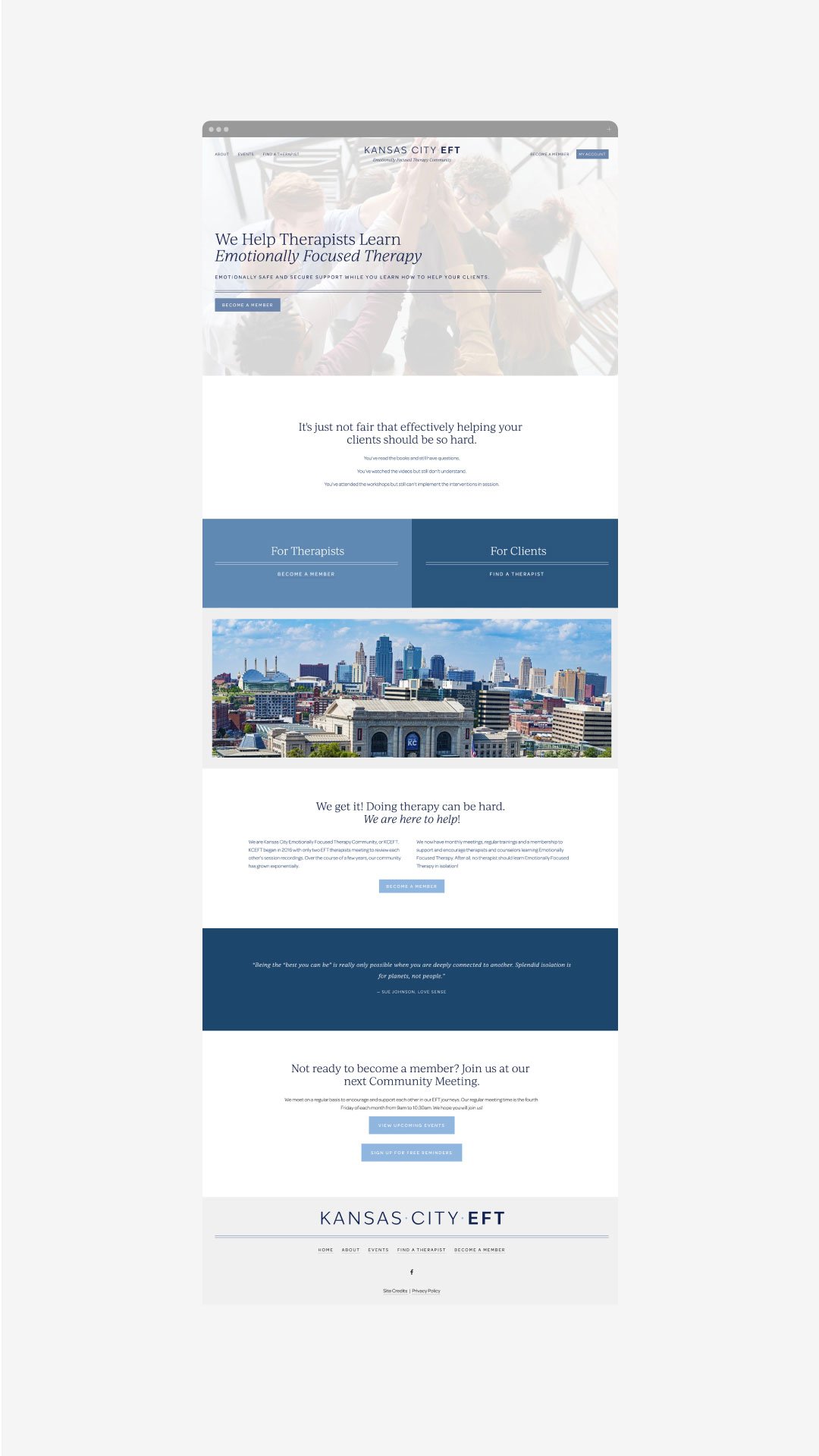
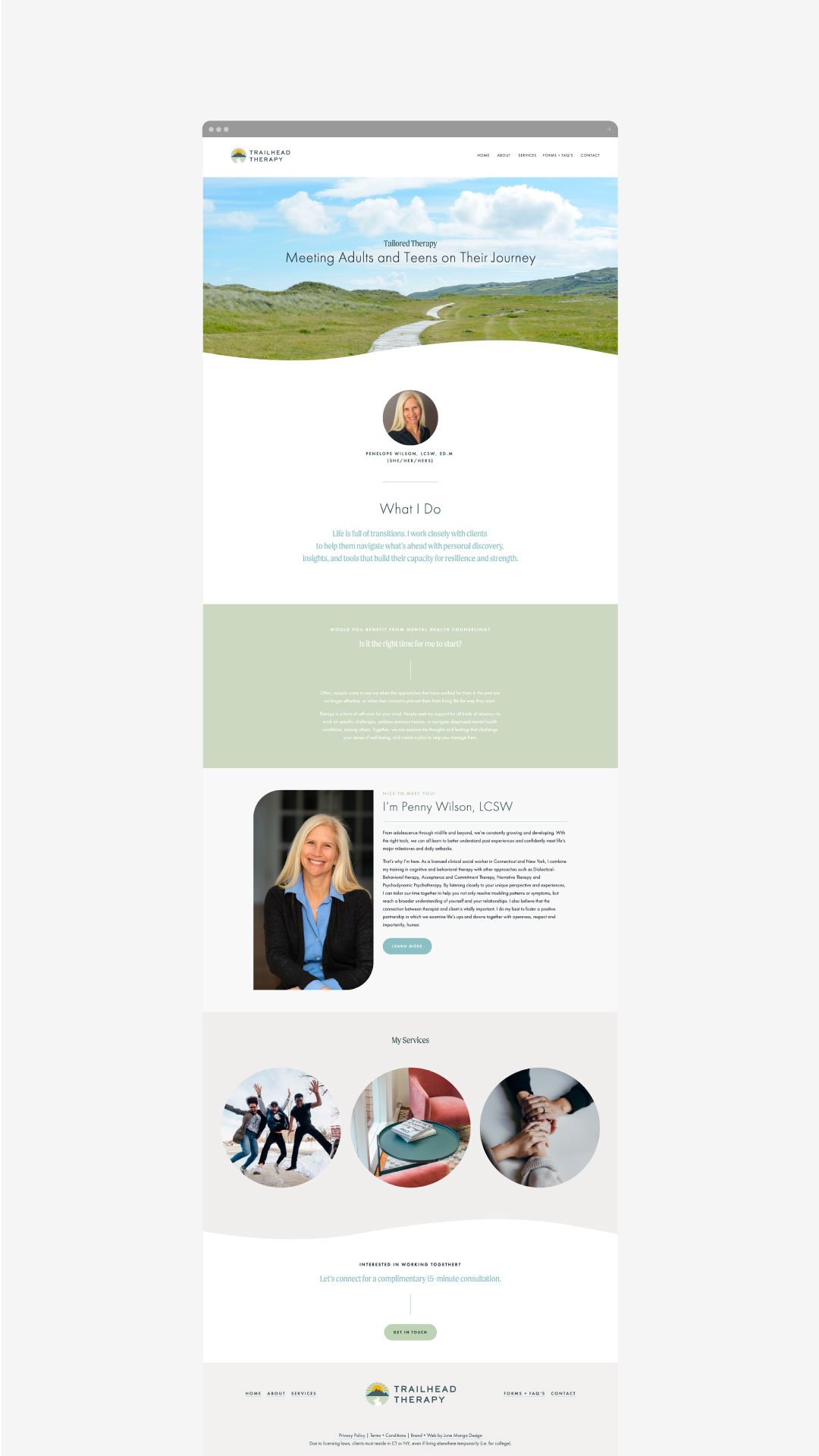
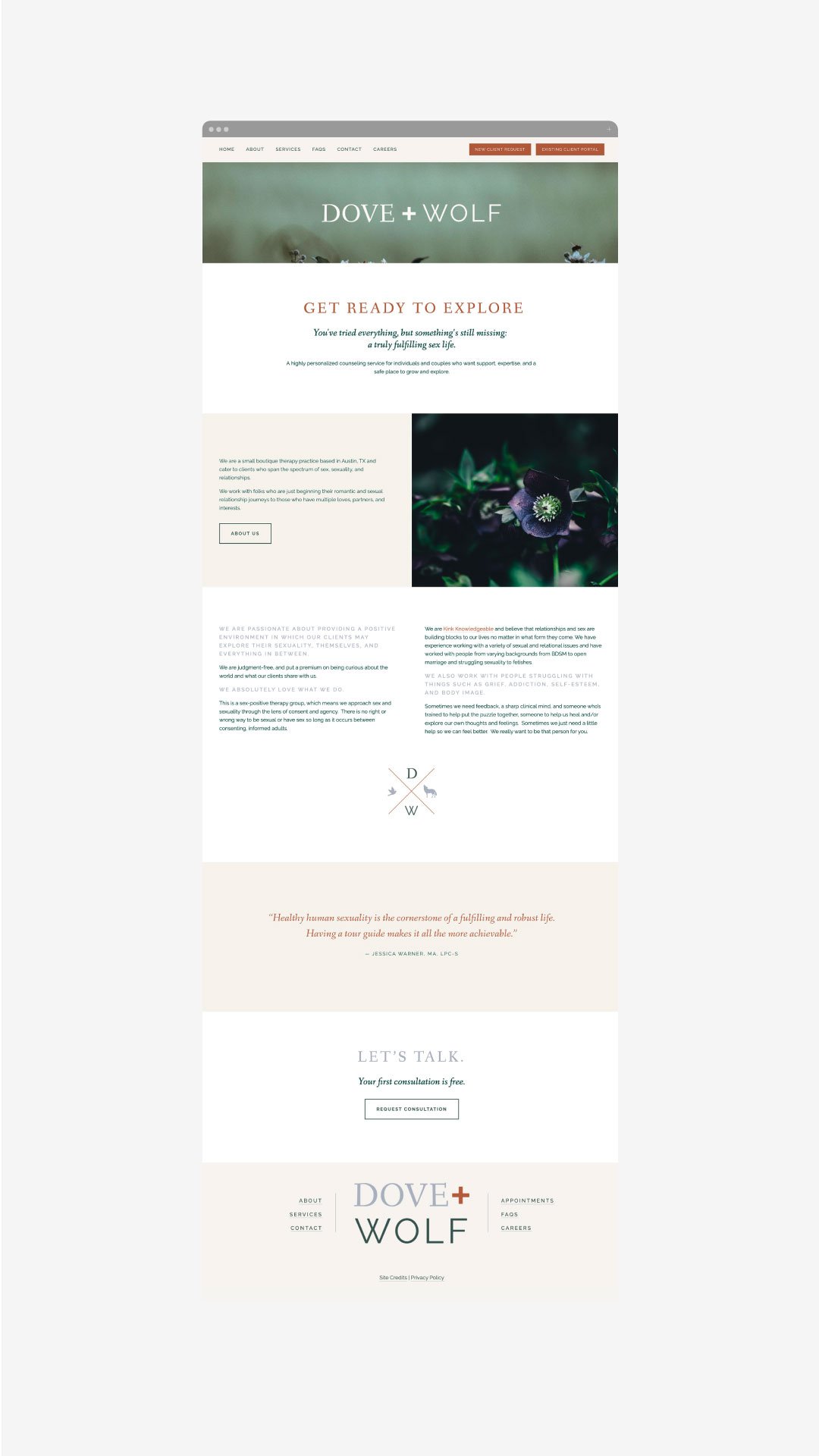
Be Clear About Your Services, Fees and Contact Information.
Key pillars for a successful private practice website include displaying your services, contact information, fees and scheduling capabilities in a clear and concise manner. This will allow visitors to get the answers to questions they may have about your practice as soon as possible. Additionally, consider integrating with third-party platforms to allow for easy appointment booking on the same page. Lastly, make sure any important contact information is visible and easily accessible from any page on the website
Optimize your Site for Mobile Viewing.
Mobile optimization is crucial for creating a successful private practice website. Many potential clients are likely to access your site from mobile devices such as iPads, iPhones, Android phones and tablets. To ensure that these visitors don't become frustrated with load times or the design of your website on their device, make sure that your template is responsive and optimized for different screen sizes. This will ensure that visitors are able to navigate and access all relevant information quickly and easily on their device of choice.
Make Sure the Site is Secure and Accessible to All Users.
Private practice websites must be secure for potential clients to use — after all, there are likely sensitive topics discussed on your site, and so it's important that all information shared is kept private between the clinician and client. Also, ensure that all aspects of the website are accessible to visitors. For example, make sure images have descriptive alt text for those who can't see them; links don’t just indicate “click here” but rather say what they go to; and visitors with motor difficulties can access content without relying on a mouse. (You can pop over to this post for more on this topic!). This way you can broaden the scope of your reach and attract more different types of patients.
Attracting new clients to your private practice is easy if you prioritize their user experience! You’ve got this.
need even more help with your website?
Skip the overwhelm and have your website
designed and launched in just 5 days!

Merakai Life Brand Design
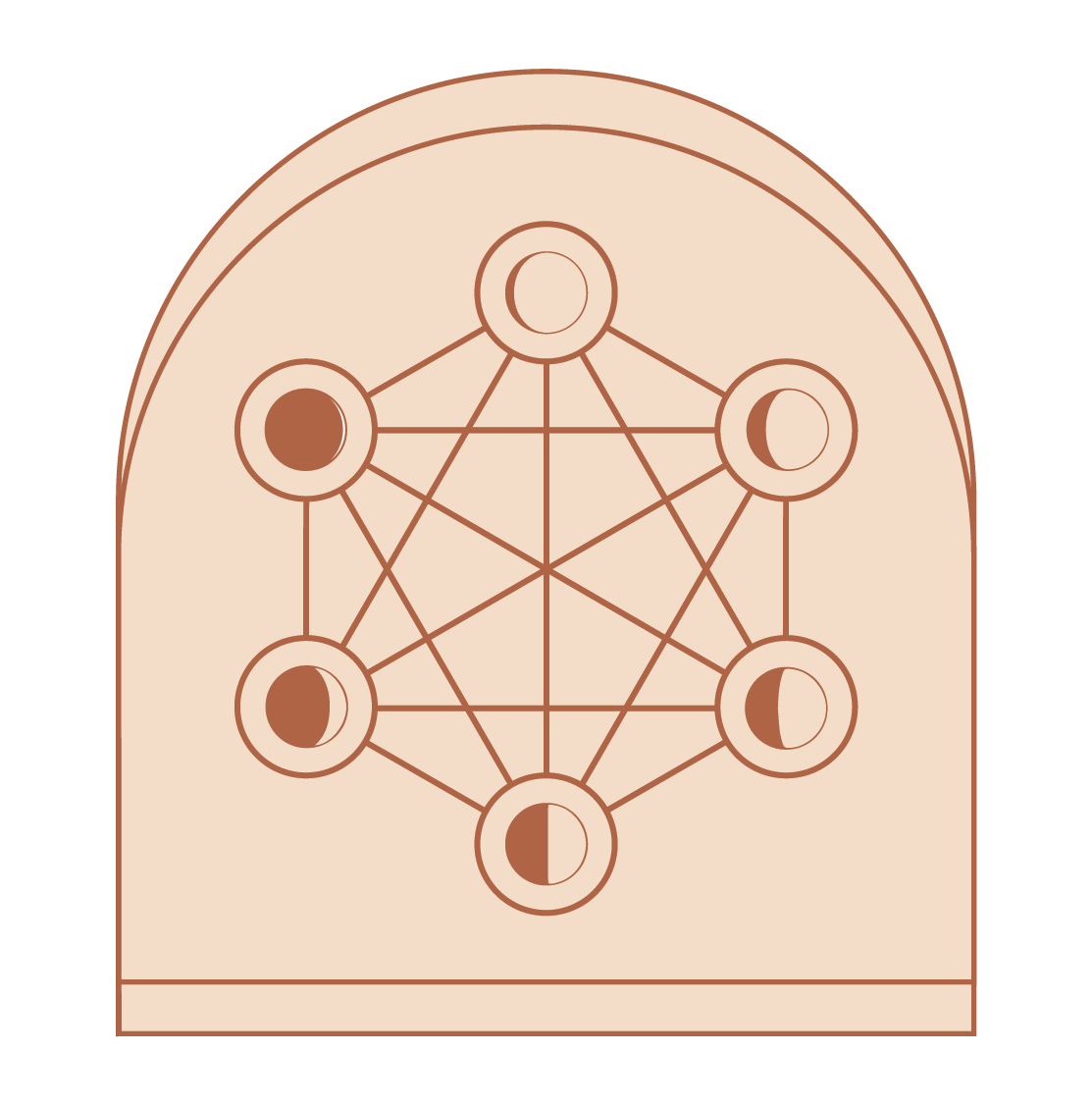
A sacred geometry logo design with phases of the moon.
Project RECAP
Merakai Life creates custom mala experiences and provides spiritual & practical guidance for clients who are highly sensitive, entrepreneurial women grappling with their spirituality often feeling anxious & overwhelmed. They reframe their anxieties and leave them feeling inspired with practical tools to implement. It's about more than just the beads, it's about what the beads are a vehicle for: transformation and connection.
This brand was not interested in a trendy, “light”-oriented design. They aren't afraid of shadows or darkness in their work, and so wanted a natural, textured feel to the designs. Sacred geometry was also really important as well as the phases of the moon. In using an earthy metallic copper, we sort of show how Merakai “reflects” what the client is experiencing and transmutes the light into the mala experiences that are then created for each client.






Keeping Up Your SEO
SEO, or Search Engine Optimization, is basically the process of maximizing your website’s ranking and visibility when searched via Google or other popular search engines. While SEO can be a complicated topic, and the true algorithm for optimization is unknown, there are a few simple steps that you can take to ensure that your website is set up for success in the search engine world.
SEO, or Search Engine Optimization, is basically the process of maximizing your website’s ranking and visibility when searched via Google or other popular search engines. While SEO can be a complicated topic, and the true algorithm for optimization is unknown, there are a few simple steps that you can take to ensure that your website is set up for success in the search engine world.
One of the biggest, and most helpful, is starting (or keeping up) a blog.
How a blog can help with your SEO
SEO picks up and catalogs the words on your website, so writing content that is ‘SEO Rich’ or is typically searched by the public, is essential in boosting your website rank. Keywords (or better yet, keyphrases) are truly the answer to this process. Include them in your title, description and throughout your blog.
Images are also a great way to add an extra amount of SEO by customizing the file name and ensuring that the images you choose to include in your post are both good quality and formatted correctly.
Most big website builders such as Squarespace give you ample opportunities to include SEO boosting material such as blog tags, headlines, etc. Make sure to utilize all these options in one way or another to make the most out of your blog and get as much traffic as possible. An example of this from my own site would be something like “holistic-web-designer.png”.
Developing a blog content calendar
Now that we’ve covered the importance of the blog, you might be wondering how on earth to keep a blog up - especially if your business isn’t something that requires one. But not to fear, creating a blog content calendar requires time and effort, but will take the stress off of curating content every single day.
When developing your content, think of your ideal client, questions they may have or any pain points in their lives that they need to have addressed. This is your chance to talk to them fully, uninterrupted and as persuasively as you wish. Bear in mind that this is YOUR content - say what you want to your ideal customers and build the personality in your business.
After you develop a few blog content ideas start to write them down in a list format one after the other until you have roughly enough ideas to fill up at least a month or so!
Grab a blank calendar
To start with the planning side, determine how often you want to be blogging. Is it every other day? Once a week? Maybe just once a month? It’s all up to you. Once you figure that out, begin to fill relevant blog topics into each slot.
Doing the work
Now that you have all the pre-planning out of the way, all that’s left is to start writing!
Drafting and outlining your posts can help you remember to include the keywords needed for optimal SEO as well as stay on topic throughout the entire writing process.
After the blogs are written and ready to be posted, do some research to determine what time would be best to schedule each one and set them to go live at that specific time. Promote your posts on social media with graphics, quotes or stats to advertise each one.
Keeping up a blog is a commitment and takes time and effort if you want to truly make a good one, but the payoff at the end of the day makes it an essential online business builder as it increases SEO, boosts awareness and gives you a chance to speak into your clients in a different way!
Be patient
A common misconception about SEO is that it will boost your ranking overnight. Nope. Building up your Google results takes T-I-M-E. Sometimes it can even take up to a year. Don’t get discouraged! Just keep plugging away and you WILL see results. Just keep in mind that SEO isn’t some magic bullet, but more like another tool in your marketing toolbox.
WANT to CREATE
a custom WEBSITE?
Create an Engaging About Page
So you’ve created your About page and it’s almost ready to go! Now you’re ready to put the pixel-perfect cherry on top with three final easy-to-implement tips that will improve your About page TODAY!


01. ADD YOUR PHOTO!
You may feel self-conscious about sharing your photo, and I get it. That one angle makes your hair look funny or you’re waiting to lose weight…okay well A) you are b-e-a-u-tiful girl and life is short! and B) add your photo anyway. People buy from people. They want to see WHO YOU ARE. And the only way they can do that is to see your smiling (*keyword*) face on your website. In an ideal world, this photo wouldn’t be a selfie, but work with whatcha got. If you want to add more than one photo, go for it!!
02. ADD SOCIAL PROOF
Social proof is a fancy term for sharing that you’re legit. People want to know that others have worked with you and liked the process. Social proof can come in lots of forms so here’s a quick list below:
Testimonials
Web/blog features
Podcast features
Media badges
Awards
These are just some common ones, but you can add any of these! This is a great way to share that you, sista, are the SH!T without writing about it in your text.
03. THIS IS MOST IMPORTANT!
OK, now that you’ve set up the greatest About page on the World Wide Web, please do this one last thing: Add a clear call-to-action! This can be a button or a link or a place to join your newsletter. Whatever it is, just make sure you tell your audience what you want them to do next. Often, this is some sort of link to your offerings page (Services, Shop, etc). Just don’t leave them hangin’.
NOT TOO HARD RIGHT?
These tips are totally doable, so go do them! And when you’re done, share your about pages with me! I’d love to meet you.
WANT to CREATE
a custom WEBSITE?

How to grow your business before the end of the year
If you have a dream to start a business, look no further. It is time to create your website today. Here’s why you NEED a website if you're launching a business or side-hustle before the end of the year!
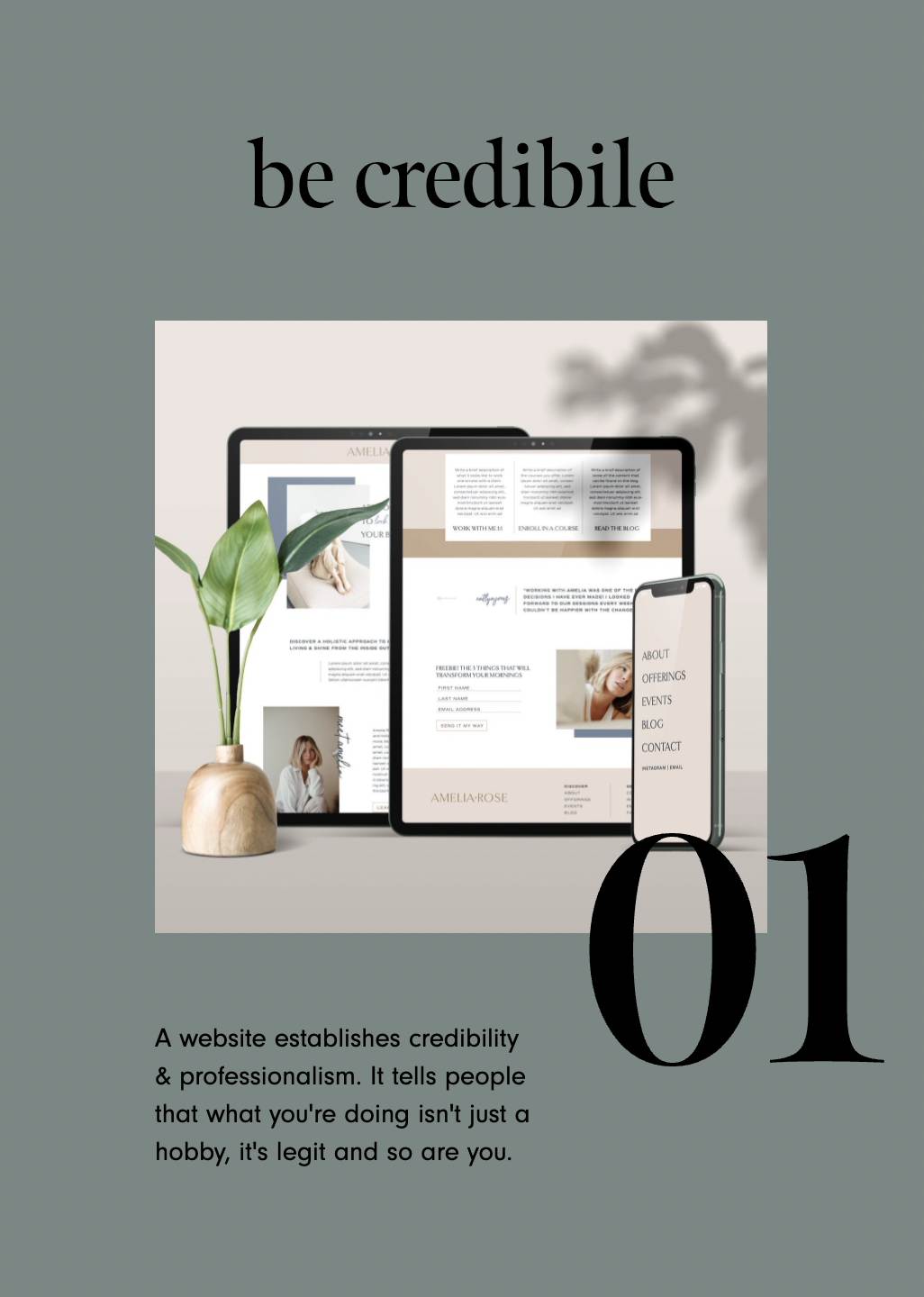

Be credible
A website establishes credibility & professionalism. It tells people that what you're doing isn't just a hobby, it's legit and so are you.
Stand out
A website can really set you apart from others in your industry by highlighting what makes you different and therefore a better choice for your dream customers!
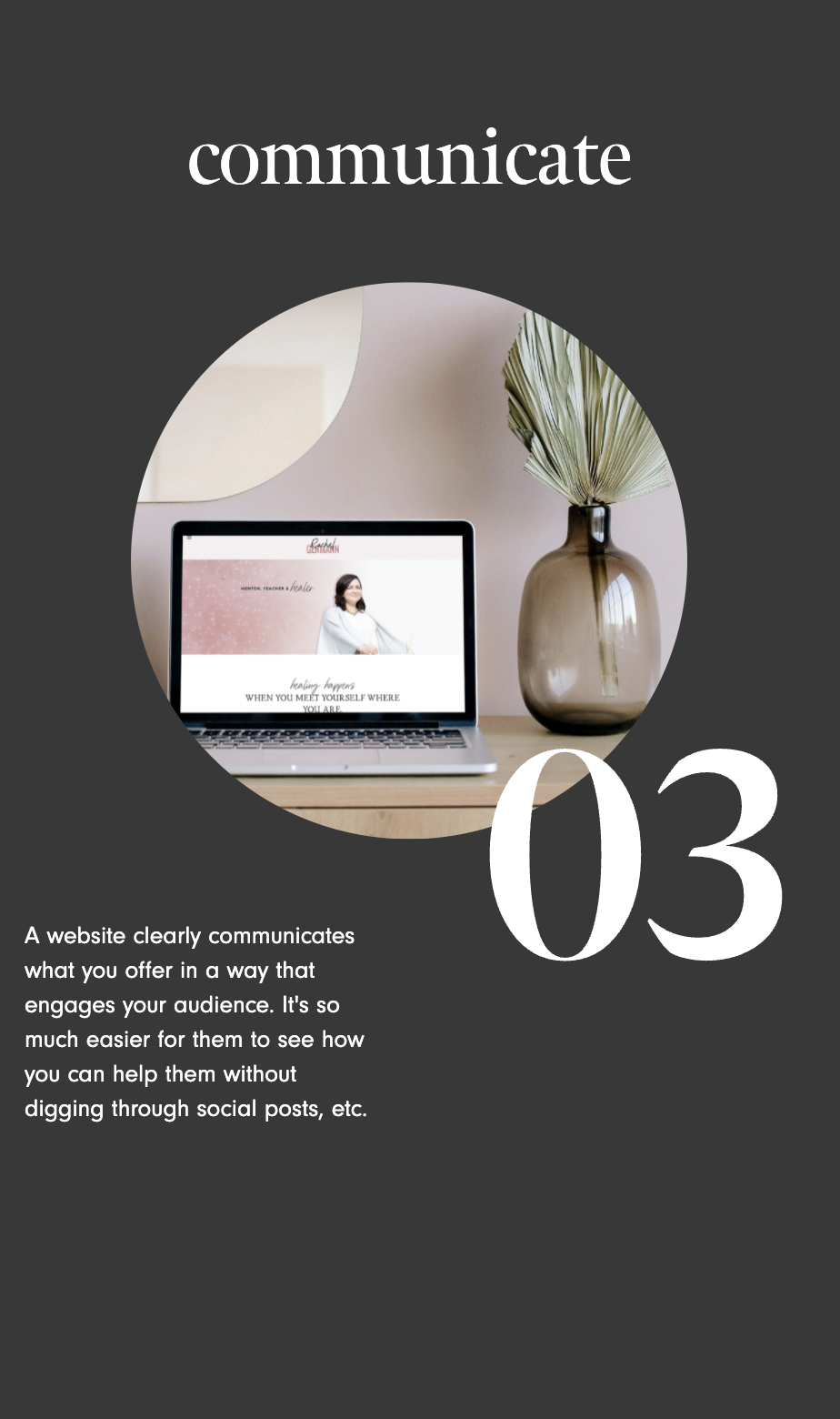
Communicate
A website clearly communicates what you offer in a way that engages your audience. It's so much easier for them to see how you can help them without digging through social posts, etc.
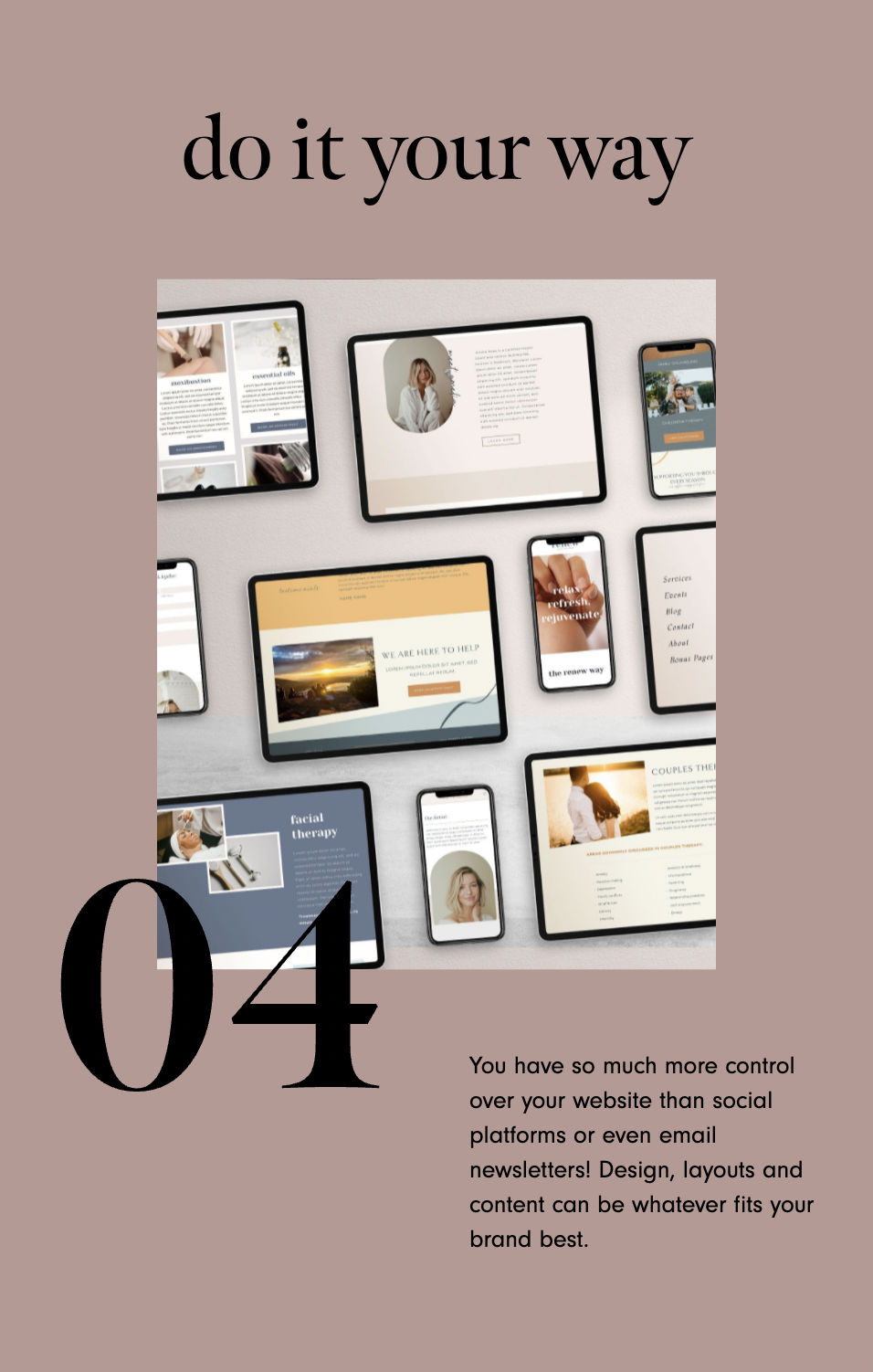
Do it your way
You have so much more control over your website than social platforms or even email newsletters! Design, layouts and content can be whatever fits your brand best.
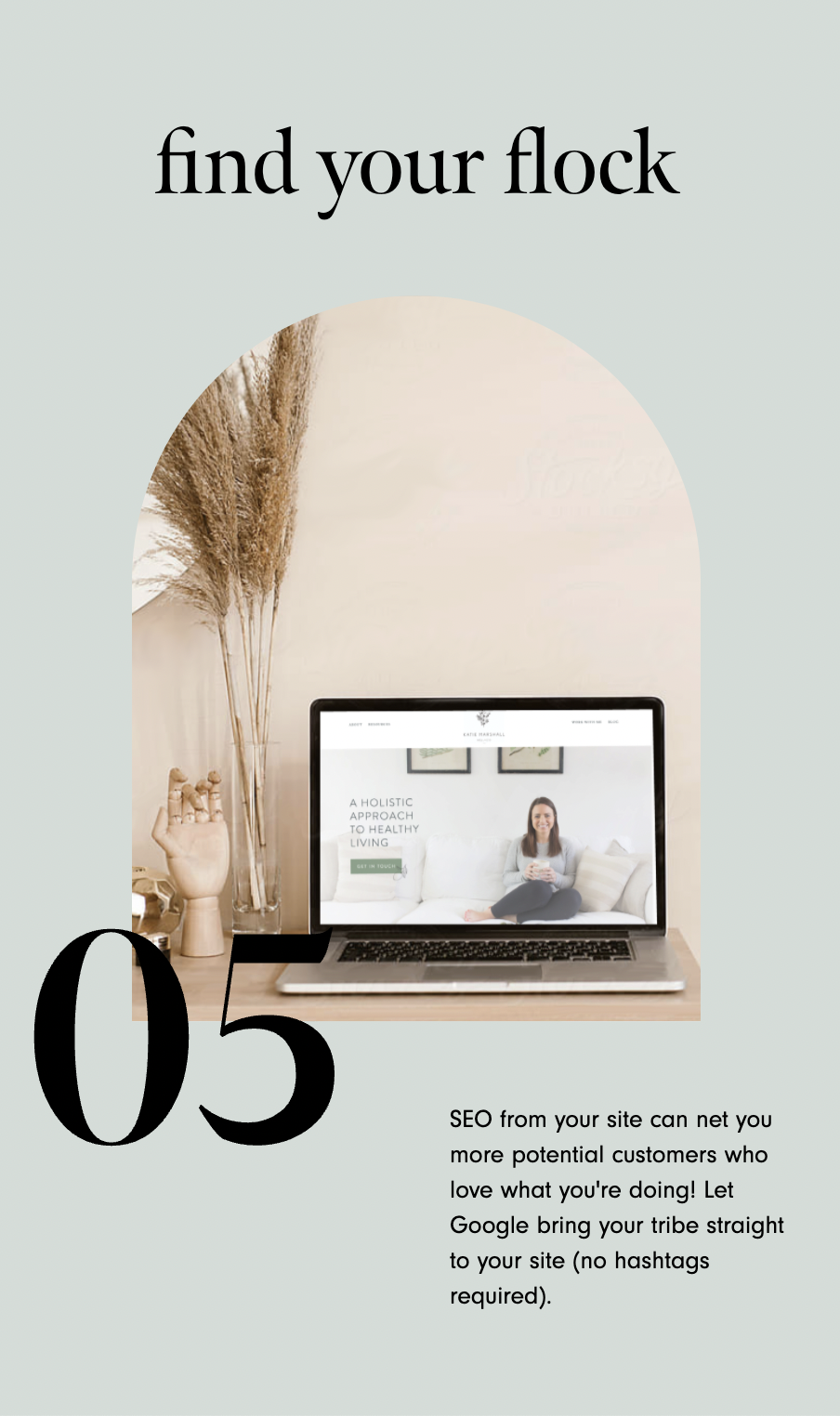
Find your flock
SEO from your site can net you more potential customers who love what you're doing! Let Google bring your tribe straight to your site (no hashtags required).
As experts in the web design industry, we know how important a website (still) is for growing your brand and turning your audience into paying, loyal customers and clients! You can do this. We have resources to help get you started.
WANT to CREATE
a custom WEBSITE?


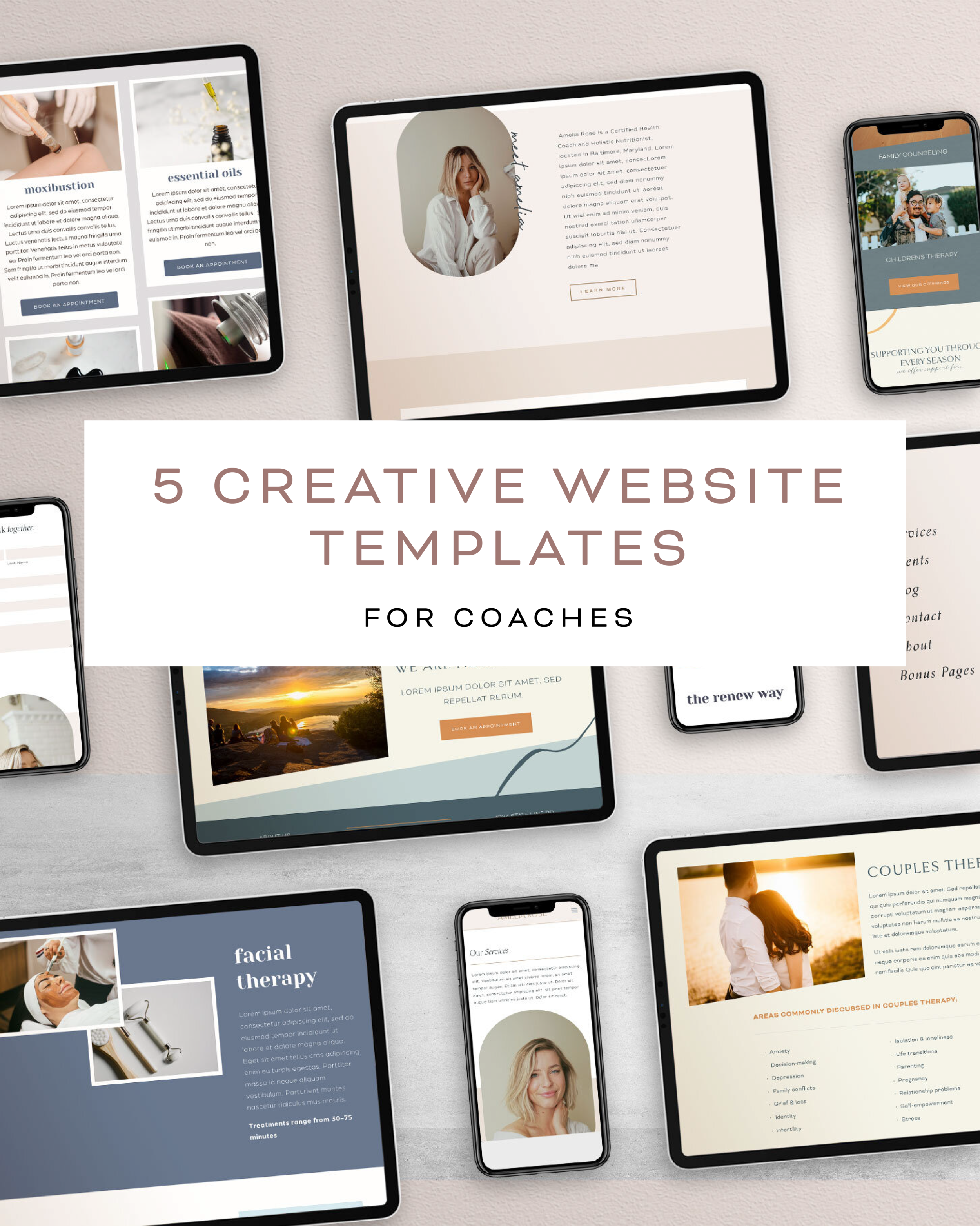
5 Creative Website Templates for Coaches
Although Squarespace makes many creative templates for small businesses, they don’t necessarily craft websites specifically for coaches (think life coaches, nutrition coaches, spiritual business coaches and so many more!).



There are a few benefits of choosing a professionally designed web template that is made FOR coaches:
These templates are designed with your audience in mind! They’re not the standard small business layout. They can be funky, fresh and just as unique as your coaching business.
The pages in the templates are created with your actual needs in mind! If you’re a nutrition coach that offers one-on-one coaching or a life coach that has created courses and a community, these premium templates have pages to match your exact offerings.
Premium website templates for coaches are not generic! While they aren’t as unique as a custom website, they have lots of extra features and cool designs coded into the templates to make your business standout from the rest.
BONUS! When you buy a custom, creative template from a designer vs. just using the out-of-the-box Squarespace themes, you’re supporting another small business. We’re all in this together. :)
HERE ARE MY TOP 5 CREATIVE WEBSITES TEMPLATES for COACHES:

Amelia Rose by June Mango
This template is light, airy and features some fun, unique layouts that you just can’t get from a standard Squarespace template.
It’s designed with a heavy focus on a creative coach that has a personal brand. This coaching template includes 9 unique pages including:
Home
About
Services
Events
Podcast
Blog
Shop
Testimonials
Contact
Best For: Life coaches, business coaches, wellness and nutrition coaches, podcasters and personal brands who are ready to turn their website into a high-conversion sales funnel (that’s also beautiful!)
Investment: $99
Installation Details: Pre-installed on a new or existing site. Done-for-you installation and design is available for $899.

Foundress by Station Seven
This template is modern and features some cool but simple layouts that will help you up-level that standard Squarespace template.
It’s designed with a great set of pages for a coaching business that holds creates content, like a podcast or coaching course. This template includes 9 unique pages including:
Home
About
Podcast
Courses
Blog
Shop
Portfolio
Services
Join Us
Best For: Coaching businesses that sell or promote content like podcasts, shops and courses.
Investment: $199
Installation Details: Pre-installed on a new site only.

Clean Freak by 23&9 Creative
This template is elegant and features some fresh, clean layouts that you don’t usually see from a standard Squarespace template.
It’s designed with a heavy focus on a fitness brand or coach. This template includes 6 unique pages including:
Home
About
Offerings
Events (or blog)
FAQ
Connect
Best For: Fitness coaches or wellness and nutrition coaches.
Investment: $179
Installation Details: Pre-installed on a new or existing site.

June by Wellness Site Shop
This template is bright, fun and features cute, playful layouts that are perfect for a coaching business with a youthful brand feel.
It’s crafted exclusively for health coaches and life coaches. This template includes 7 unique pages including:
Home
About
Services
Blog
Shop
Contact
404
Style Guides
Best For: Health coaches and life coaches.
Investment: $397
Installation Details: Pre-installed on a new site only.

Bailey Lane by June Mango
This template is feminine and artistic. It features really unique scrolling features that really up-level your Squarespace template.
It’s designed with nearly any coach in mind! It would be perfect for a mindset coach, business coach or parent coach’s website. This coaching template includes 9 unique pages including:
Home
About
One-on-one coaching
Group Coaching
Community / Membership
Blog
Testimonials
Subscribe
Best For: Life coaches, business coaches, wellness and nutrition coaches, parent coaches, podcasters and personal brands.
Investment: $99
Installation Details: Pre-installed on a new or existing site. Done-for-you installation and design is available for $899.
WANT to CREATE
a custom WEBSITE?


The 1 page you MUST have on your website (legally!)

Yes, you need a homepage, and there are plenty of other pages that really make your website stand out. But there is one page that EVERY website needs - no matter what! And that is a Privacy Policy page.
No, it’s not sexy, but it is illegal not to have one.
Your site’s Privacy Policy should also be easy to find (it’s typically somewhere in the footer) and include information about the type of information you collect (e.g.: emails, names, etc), how personal data is used (e.g.: to track conversions, send marketing emails, etc), and a description of their rights.
June Mango provides a basic Privacy Policy for all our client sites, but the depth of your Privacy Policy depends largely on your website. There are few free templates swirling around on Google, but I highly recommend getting a real-deal version created by a lawyer (like this one).
Also, I’m NOT a lawyer - you know that, right? So of course, none of this is legal advice. Just best practices and web-safety! :)
WANT to CREATE
a custom WEBSITE?

Cabin Fever Brand Design
Project RECAP
Such a fun branding project for Cabin Fever Coffee and Play House - think coffee house meets indoor playground without the primary colors and giant equipment. The brand is built upon the idea of a family minded space where you can attend parent-child sing and dance classes, let your kids run wild while drinking a hot cup of coffee or rent our space for your family-friendly event. These logos below include the alternate directions for the branding concepts. One is a nod to the forest friends and is more whimsical and childlike with hand drawn elements and the cute little fox. The second direction is more of an outdoorsy-iconography style design with the feeling of a cabin in the woods.


WANT to CREATE
a custom LOGO?


Adding a Background Image to a Form
Switch things up from the standard Squarespace design of your form with a background image! Incorporate some simple custom coding into your website to design a unique form.
block ID #{
background-image:
url(insert URL here);
background-size: cover;
color: white;
}
Switch things up from the standard Squarespace design of your form with a background image! Incorporate some simple custom coding into your website to design a unique form.
In this video I cover:
How to identify the content block where you will be placing your background image
The specific code used to achieve this look (see below)
SHOW NOTES
0:16 Identifying block ID code to change the form block
1:26 Adding code ID to custom CSS
2:00 Adding specific code to add background image
2:56 Changing background image size to fit the form
3:30 Changing form text color
need even more help with squarespace?
Skip the overwhelm and have your website
designed and launched in just 5 days!

Sacred Vibes Healing
Lacey from Sacred Vibes Healing and Acupuncture
wanted to create a brand to lift and up-level her acupuncture clinic and crystal retail space. We wanted to combine the feminine energy of her personality with the directness of her crystal use in energy healing and acupuncture treatments.

Lacey felt that most acupuncturists practice more clinical-style acupuncture and focus heavily on pain management. Lacey has a broad spectrum of healing modalities for an array of different symptoms/concerns, which makes the treatments and her approach more unique. We tried to create a warm, inviting and high-vibrational design that feels inviting for all.


We rounded out the branding with web design,
social media templates, and a newsletter template.

READY to WEAVE your VALUES
into your VISUALS?
Adding an Anchor Link in Squarespace 7.1
Learn how to create a "page jump" within your Squarespace website. Get website visitors where you want them to go quicker with this trick.
Learn how to create a "page jump" within your Squarespace website. Get website visitors where you want them to go quicker with this trick.
In this video I cover:
How to identify the section you want to link your scroll
Properly putting the correct code to your section
<div id= "section name">

</div>
WANT to CREATE
a custom WEBSITE?

How much money do you need to save for maternity leave?

The second part of planning for maternity leave is going to cover finances and inform everyone around you! If you missed them, check out the first two posts in this series: when you take your maternity leave and how to set up systems for your business to run smoothly.
This is the big question for solopreneurs planning for maternity leave:
how much money do you need to save?
To begin this process of discovery, break down what you pay on a monthly basis now and what you may be paying once the baby comes.
The first category to breakdown is your monthly personal expenses:
mortgage/rent,
utilities,
cable/internet,
auto insurance,
gas,
student loans/debt,
groceries,
health insurance
After this, factor in the baby expenses:
diapers,
pump,
pumping bags,
bottles,
misc. midnight purchases (it happens!).
Planning a baby budget and giving yourself some wiggle room for impulse buys can help alleviate a lot of financial stress in an already stressful situation. You will find there are typically a lot of monthly buys you did not expect for the baby.
The next category to break down are your monthly biz expenses:
marketing,
admin (scheduling apps, website host),
assistants/employees,
studio/office costs
The final category to break down will be your extracurricular expenses:
Netflix/hulu,
takeout/easy meals,
house cleaner,
travel,
savings,
shopping,
hospital bills.
These are all subject to change and might go up or down after the baby comes (ie: maybe more for house cleaning and less for travel). However, having a rough breakdown will help you create a feasible budget for the months you’ll be on leave!
WANT MORE?
DOWNLOAD
THE MATERNITY LEAVE MONEY
WORKSHEETS!
$1.99

Let’s help you plan for business after you have that sweet bundle of joy. We’ll cover the prep, steps and planning to keep your business running — and your mind at ease — during your months of maternity leave.
READY TO DISCOVER HOW TO PREP YOUR BUSINESS FOR YOUR BABY IN A WAY THAT WORKS BEST FOR YOU? LET’S GET STARTED!
How much money you need to have saved
How to pay yourself

How to plan for maternity leave as a solopreneur

During pregnancy, I realized that all the information about maternity leave dealt with people in corporate jobs – rarely people that work for themselves. I had to figure out everything myself (I did a LOT of deep googling). I wanted to help solopreneurs plan for maternity leave without the hassle, so created plans, worksheets, and posts to help teach others what I learned myself.
Preparing for Maternity Leave Part 1:
First, you want to get an understanding of what maternity leave will really feel like, specifically with regard to your emotions and expectations. You may think that you will feel a certain way, but you don’t really know how you will actually feel until you walk through each step.
Everything will change: your emotions, relationships, energy levels, etc. All of this is normal, but remember that while you may think everything will feel fine, it may not – and that is okay!
How do you know when to stop working?
What is the final day that you cross off your to-do’s? This is different for everyone, but there are some good guidelines to follow.
The first is to reverse engineer your time. After 35 weeks, focus your attention only on ‘nice to dos’. These are things that you don’t have to get done and are not crucial. Things such as Instagram posts, newsletters, and expenses.
Before 35 weeks focus on ‘must dos’. These are tasks such as client work, scheduling blog posts, etc. Again, this is all relative to each person and you may feel super exhausted around 30 weeks and need to lay in bed for hours a day, so keep that in mind! If you can, you may also want to scale down your hours slowly instead of stopping altogether.
How long should you plan to be out on maternity leave?
This is personal. I can’t answer that for you! However, I like to say plan for whatever you think you’ll need plus a little more. You can always come back earlier, but it is harder to add extra time at the end after you have scheduled finances, delegations, etc.
Should you work during maternity leave?
This is also different for everyone, but I can give you a few pointers. For many, it depends on the type of work you do. In general, it is better to handle minor tasks: responding to emails, writing posts or newsletters, checking in on social media - but the key is to not stress yourself out with anything work related. Give yourself permission to just be present!
Here are another few things to consider:
Maternity leave shorter than 12 weeks puts women at higher risk of postpartum depression and anxiety.
Will you/how long will you be breastfeeding?
And how long can your partner take off?
WANT MORE?
DOWNLOAD
THE MATERNITY LEAVE MONEY
WORKSHEETS!
$1.99
Let’s help you plan for business after you have that sweet bundle of joy. We’ll cover the prep, steps and planning to keep your business running — and your mind at ease — during your months of maternity leave.
READY TO DISCOVER HOW TO PREP YOUR BUSINESS FOR YOUR BABY IN A WAY THAT WORKS BEST FOR YOU? LET’S GET STARTED!
How much money you need to have saved
How to pay yourself




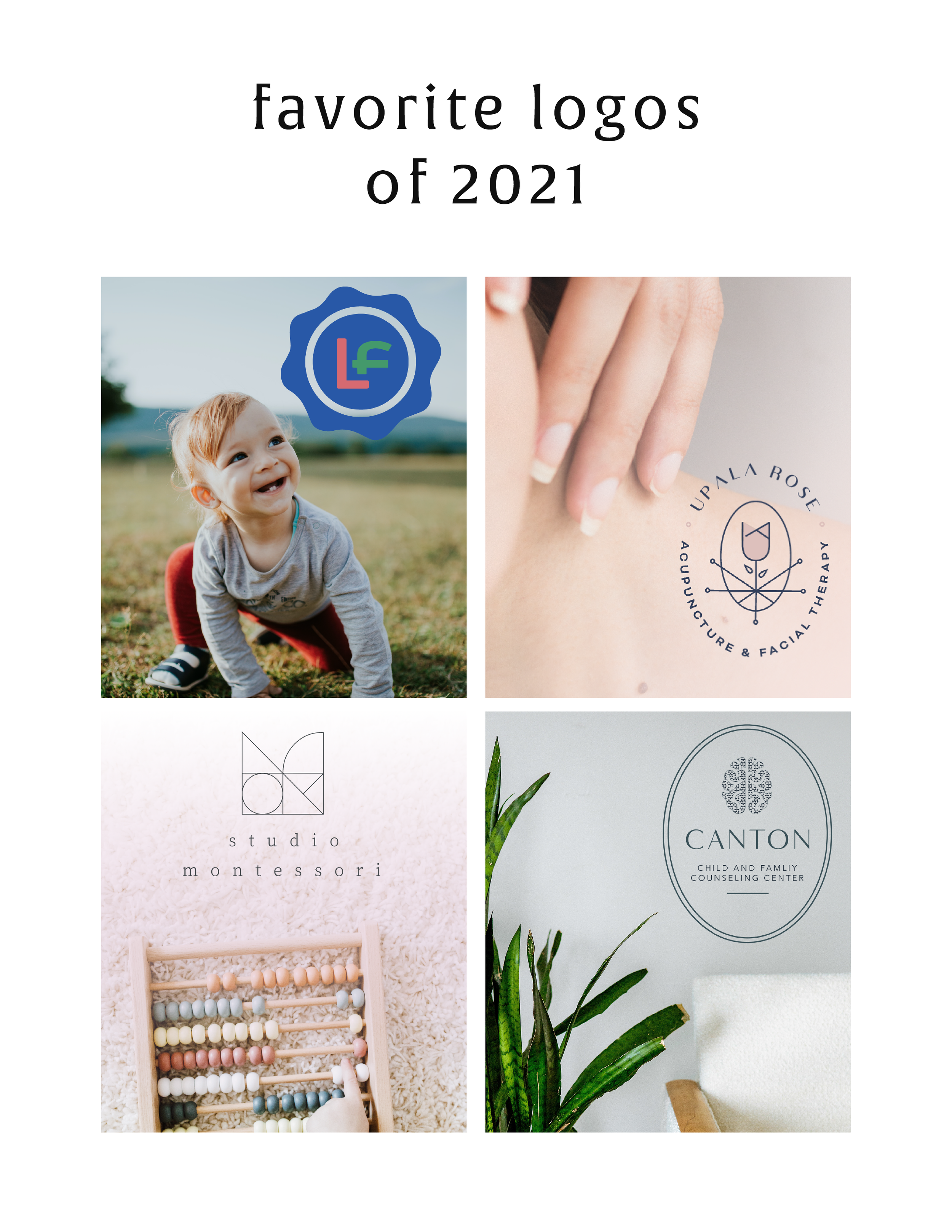
Favorite Logos of 2021
A recap of some of my favorite unchosen logos and submarks from 2021 branding projects including one for an acupuncturist and a child and family counseling logo.



There were so many fun branding projects in 2021 and so many amazing clients! Since each branding process gets 3-4 fully designed brand identity options, not all logos get the green light. Some aren't quite right for the client or maybe just didn't fit as well as another option, but I have a little love for all of my logos (and maybe get a little too attached?? Eh, whatever!).
These are some of my favorite branding concepts and their variations created that didn't make the final cut.
pst…
Like a logo above and think it’s the perfect fit for your business?
Feel free to reach out for details on how to purchase!

No Code Custom Button Options
Discover how to use image blocks to create custom buttons for your website. No custom code needed to incorporate this element into your website design.
Discover how to use image blocks to create custom buttons for your website. No custom code needed to incorporate this element into your website design.
In this video I cover:
How to use the image content block to create a button
The various image content blocks you can use as buttons
The content you can link within these images
Show Notes
0:26 Inserting an image block
0:36 Uploading an image that looks like a button
0:57 Linking your image button
1:15 Resizing your image block
2:00 Uploading a background image for your button
2:11 Setting up a poster image design
2:36 Adding text on top of your button
2:44 Resizing the height of your image block button
3:14 Updating your button font style
The following information was created for use with templates made with Squarespace 7.0. Stay tuned for more tips and tricks
for the new 7.1 platform!
need even more help with squarespace?
Skip the overwhelm and have your website
designed and launched in just 5 days!
Missing out on potential leads? Learn how to improve your search engine ranking and increase traffic to your website with tailored SEO tips for therapists.